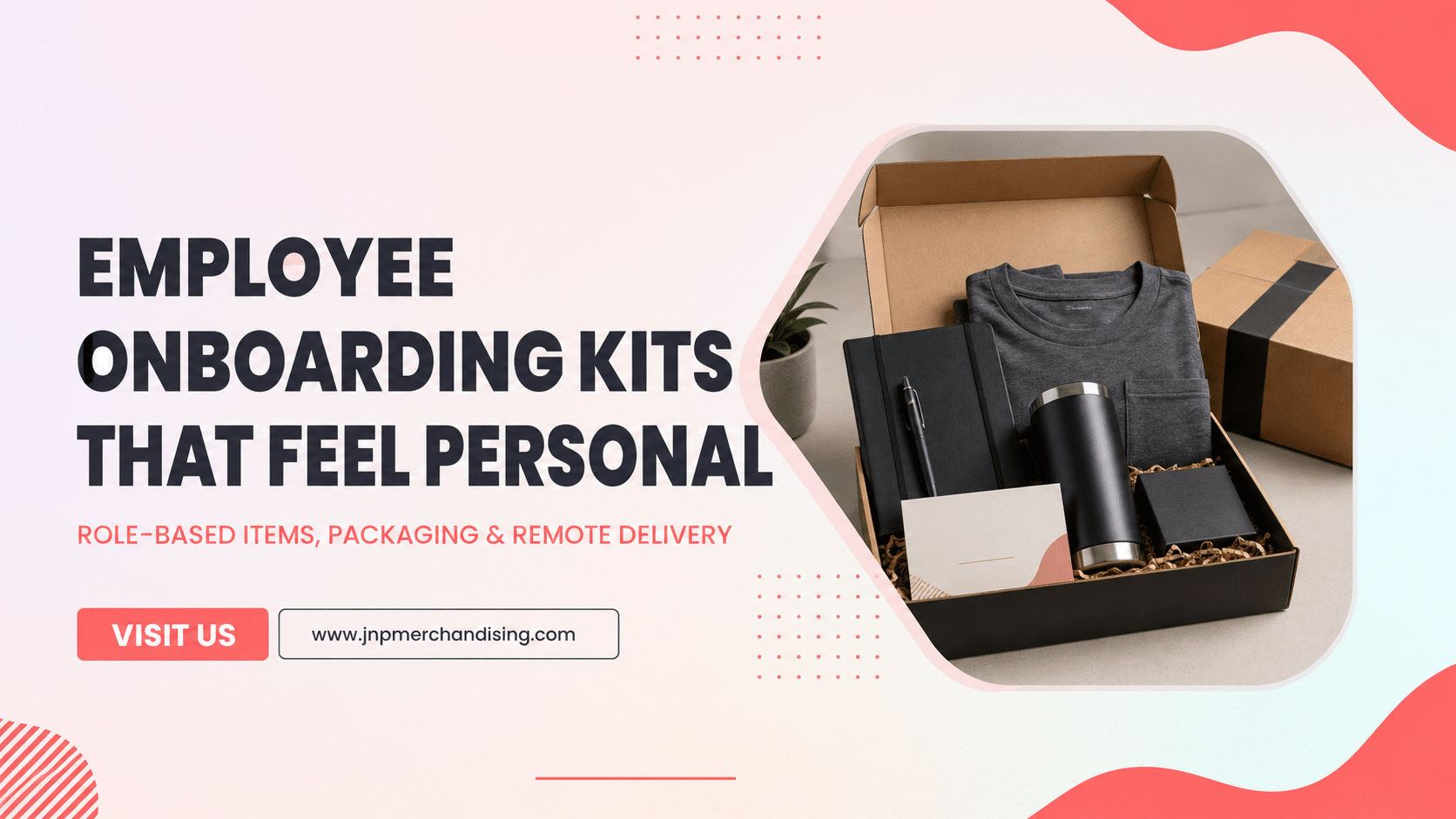
Employee onboarding kits feel personal when they reflect the new hire’s role, work setting, and first-week needs. The strongest programs use a consistent company foundation, then add a small number of meaningful variations for departments, locations, remote employees, or leadership roles.
Quick answer: Build one core kit for every employee and create controlled role-based add-ons. Collect sizes, addresses, and personalization details through one approved process. Send remote kits to arrive before the employee’s start date and prepare an in-office handoff with the same level of care. Measure delivery accuracy, replacement needs, and employee feedback so the program improves over time.
Decide What the Onboarding Kit Should Accomplish
An onboarding kit can welcome the employee, communicate company culture, provide useful tools, and create a shared identity across remote and in-office teams. It should complement the broader onboarding process rather than replace clear documentation, technology setup, manager communication, or team introductions.
Define the goal in one sentence. Examples include:
- Help every new hire feel expected and prepared on day one.
- Create a consistent welcome for remote and office employees.
- Provide useful role-specific tools without overfilling the package.
- Reinforce the company’s values through product choice and message.
JNP Merchandising can support custom employee gifting, branded products, packaging, and delivery for organized onboarding programs.
Use a Core Kit Plus Role-Based Modules
A modular system balances consistency and personalization. Every employee receives the same core experience, while role-based items are added only when they serve a clear need.
Core kit
The core may include a welcome message, quality drinkware, a notebook, comfortable apparel, and one useful desk or travel product. Choose fewer products that employees are likely to keep.
Role-based module
Add one or two products relevant to the work. A field team may need durable outdoor accessories. A travel-heavy role may benefit from an organizer or luggage item. A creative team may appreciate a sketchbook or high-quality writing tools. A leadership role may call for a more understated premium item.
Location or work-setting module
Remote employees, office employees, field staff, and employees in different climates may need different formats. Keep the visual identity consistent even when the contents change.
This structure is easier to maintain than creating a completely unique kit for every person.
Choose Products That Support the First 30 Days
Ask how each item will be used during the employee’s first month.
- Apparel: creates a sense of belonging and may support team meetings or events
- Drinkware: useful across home, office, and travel settings
- Notebook or planner: supports training, goals, and meeting notes
- Desk accessory: improves the work environment without creating clutter
- Tech accessory: can support mobile or remote work when compatibility is confirmed
- Bag or organizer: useful for commuting, travel, or equipment
Avoid items that assume personal preferences, health needs, or device compatibility without verification. Product selection should be inclusive and practical.
Create Role-Based Onboarding Kit Examples
| Role or setting | Core experience | Possible add-on |
|---|---|---|
| Remote employee | Welcome card, drinkware, notebook, apparel | Desk organizer or compatible tech accessory |
| Office employee | Welcome card, drinkware, notebook, apparel | Commuter bag or office accessory |
| Field employee | Welcome card, durable drinkware, apparel | Weather-appropriate or safety-adjacent accessory approved by the employer |
| Sales or travel role | Welcome card, notebook, apparel | Travel organizer, luggage tag, or portable accessory |
| Manager or executive | Welcome card, premium notebook, drinkware | Subtle personalized gift or quality travel item |
These are planning directions, not fixed kits. The company should confirm role needs, policies, and recipient preferences before selecting products.
Collect Sizes, Addresses, and Preferences Carefully
Personalization becomes operational data. Use one secure, controlled form or roster and collect only the information needed for production and delivery.
Possible fields include:
- employee ID or unique onboarding ID
- preferred name and spelling
- apparel size
- shipping address
- work setting or location
- role-based kit code
- start date and desired arrival date
- approved accessibility or product accommodation
Confirm how long the data will be kept and who can access it. Separate personal information from general merchandise planning files whenever possible.
Make Remote Delivery Feel Intentional
A remote onboarding kit is the entire physical welcome experience. It should arrive in good condition, be easy to open, and clearly connect to the employee’s first day.
Plan for:
- address validation
- packaging that protects each component
- tracking and delivery exceptions
- a clear message from the company or manager
- time-zone and location differences
- international restrictions when applicable
- replacement handling
Do not ship too early if the package contains information that should remain private before the start date. Coordinate the timing with HR and the hiring manager.
Design an In-Office Handoff With Equal Care
An office kit should not feel like a box pulled from storage. Stage it at the employee’s desk, present it during a welcome moment, or have the manager deliver it personally.
Confirm the desk location, start time, manager availability, and storage process. If remote and office employees receive different packaging, keep the product quality and message consistent so one group does not receive a visibly weaker experience.
Use Packaging and the Welcome Message to Tell One Story
The first visible message should welcome the employee and explain the purpose of the kit. Keep inserts concise. A note from the manager or team often carries more emotional value than several promotional cards.
Use the brand palette, voice, and values without covering every product with a large logo. Subtle decoration can make apparel and lifestyle products more likely to be used.
JNP’s custom packaging guide provides ideas for presentation, while the custom apparel ordering guide can help with size planning.
Plan Reorders and Ongoing Fulfillment
Onboarding is a recurring program. Build a system that can support future hires without recreating the order every time.
Track:
- inventory by core item and module
- apparel sizes and reorder points
- approved artwork versions
- packaging and insert versions
- average usage by month or hiring cycle
- damaged or missing item rates
- replacement inventory
Review seasonal hiring plans and anticipated team growth. A small, controlled reserve can support last-minute hires, but over-ordering role-specific or personalized items can create unusable inventory.
Measure the Experience and the Operation
Ask employees what they used and what they did not need. Combine that feedback with operational measures.
- kits delivered before the start date
- address correction rate
- missing, damaged, or incorrect item rate
- replacement rate
- employee feedback on usefulness and welcome experience
- manager feedback on process ease
- inventory and reorder accuracy
The purpose is to improve the program, not to claim that merchandise alone caused retention or productivity outcomes.
Employee Onboarding Kit Checklist
- Program goal and owner defined
- Core kit approved
- Role and location modules documented
- Product compatibility and policies reviewed
- Size and address form approved
- Artwork and welcome message approved
- Finished sample kit reviewed
- Remote and office delivery flows documented
- Tracking and exception owner assigned
- Reorder points and replacement stock defined
- Employee feedback process prepared
For a deeper operational process, use JNP’s custom kitting and fulfillment checklist.
Frequently Asked Questions
What should be included in an employee onboarding kit?
Start with a welcome message and a small number of useful items such as apparel, drinkware, a notebook, or a desk accessory. Add role-specific products only when they support the employee’s work or setting.
How can onboarding kits be personalized?
Use the employee’s preferred name, role, location, size, or one controlled product variation. A personal message from the manager can be more meaningful than personalizing every item.
When should a remote onboarding kit arrive?
Coordinate the desired arrival with HR and the manager so the employee has the kit for the planned welcome moment. Confirm product-specific production and shipping timelines before setting the deadline.
Should every department receive a different kit?
Usually a modular system is easier to manage. Keep one core kit and add a small role-based or location-based module where it provides real value.
How should employee address and size data be handled?
Collect only the information needed, limit access, use one approved source, validate the fields, and follow the organization’s privacy and retention practices.
Create a Welcome That Feels Planned
A thoughtful onboarding kit shows that the company prepared for the employee. The best programs combine a consistent brand experience with practical role-based details and reliable delivery.
To coordinate assembly and delivery across hiring dates, explore JNP’s corporate swag kitting and multi-address fulfillment. Use the approved kit, recipient file, and reorder plan as the starting brief.
Plan an employee onboarding kit program with JNP. Share the hiring volume, employee groups, work settings, budget range, desired delivery process, and personalization needs.