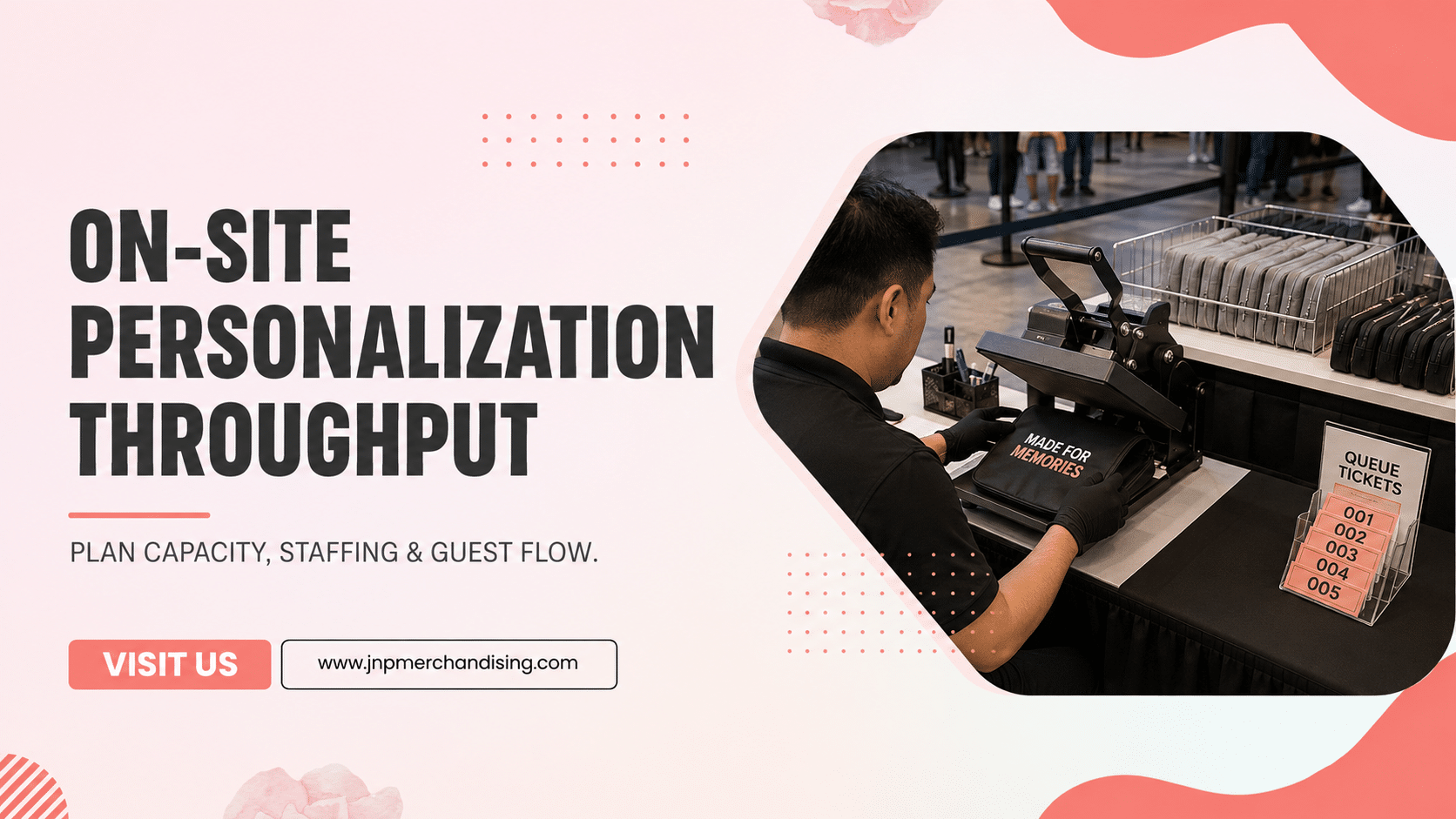
On-site personalization throughput is the number of guests a live merch activation can serve within a defined time. It is not a universal rate. It changes with the product, method, design complexity, number of machines, operator workflow, guest choices, and quality-control process.
Quick answer: Estimate throughput by timing one complete guest cycle, then divide the available service minutes by that cycle time and multiply by the number of active production stations. Reduce the result for breaks, changeovers, errors, and peak demand. Validate the estimate with the actual product and design before the event. If forecast demand exceeds capacity, simplify choices, add stations, use timed pickup, or complete overflow after the event.
Why Throughput Determines the Guest Experience
A live personalization station can create a memorable event moment, but a beautiful concept still needs enough capacity. When demand exceeds service rate, lines grow, guests leave, and operators feel pressure to rush.
Throughput planning connects the creative concept to five operational decisions:
- product and personalization method
- number of production stations
- menu of guest choices
- staffing and intake flow
- queue, pickup, and overflow plan
JNP’s on-site event services include live experiences such as printing, embroidery, engraving, and pop-up activations. The final operating plan should be based on the actual equipment, operators, venue, and products selected.
Calculate Capacity Using the Complete Guest Cycle
Do not time only the machine. The guest cycle begins before production and ends after quality control.
A typical cycle includes:
- Guest selects an item and personalization option.
- Staff captures the request and confirms spelling.
- The order enters the production queue.
- An operator loads and personalizes the item.
- A quality-control check confirms output.
- The finished item is packaged or handed off.
Use a sample run to measure each step. The slowest recurring step is the bottleneck. Adding a machine will not double total throughput if intake, product loading, or pickup remains constrained.
A Simple Throughput Planning Formula
Use this model as an estimate:
Estimated guests served = available service minutes ÷ average complete cycle minutes × active stations × operating factor
The operating factor accounts for realistic interruptions such as breaks, thread or material changes, equipment resets, spelling corrections, restocking, and uneven arrival patterns. Choose it conservatively and validate it during a rehearsal.
Example: if a tested guest cycle averages several minutes, two stations do not necessarily serve twice as many people. Confirm whether both stations have independent staff, intake, materials, and quality-control capacity. Use the calculation to compare scenarios, not to promise a fixed output without a live test.
How Personalization Methods Affect Service Rate
Different methods have different setup, production, and handling requirements.
Live embroidery
Stitch count, name length, design size, garment placement, hooping, and thread changes affect each cycle. Pre-approved fonts, limited color choices, and suitable products make the process easier to forecast.
Engraving
Material, engraving area, design complexity, fixture placement, and surface consistency influence the workflow. Flat, consistent products are usually easier to stage than mixed shapes.
Live printing or heat application
Artwork menu, garment position, curing or cooling needs, and safe handling all affect capacity. Pre-produced transfers or a limited design menu may support a more controlled workflow.
Labels, patches, and simple finishing
These can reduce production time when the experience is designed around selection and application rather than fully variable creation. The finished result still needs a quality check.
See JNP’s guide to on-site engraving, embroidery, and screen printing for a broader method comparison.
Reduce Cycle Time Without Making the Experience Feel Cheap
Premium does not mean unlimited. A curated menu can feel intentional while protecting throughput.
Consider:
- two or three product choices instead of an open catalog
- pre-approved fonts, icons, and colors
- character limits for names or phrases
- pre-staged blanks by size or color
- digital intake with a clear spelling confirmation
- separate pickup from the ordering line
- simple packaging prepared before doors open
The goal is to remove decisions that do not improve the guest experience. A focused menu helps guests choose quickly and allows staff to explain the process clearly.
Forecast Demand by Event Moment, Not Daily Attendance
Total attendance can hide the real peak. A keynote ending, meal break, performance, or sponsor announcement may send a large share of interested guests to the station at once.
Ask the event team for:
- registration and attendance forecast
- session and meal schedule
- expected traffic near the activation
- other attractions competing for the same window
- VIP, media, or sponsor moments
- venue closing and teardown requirements
Model a normal hour and a peak window. If the station can handle normal traffic but not the post-keynote rush, plan a separate control for that period.
Choose the Right Queue and Pickup Model
The right line model depends on whether the item can be completed while the guest waits.
| Model | Best use | Main control |
|---|---|---|
| Wait-and-watch | Short cycles and experience-led activations | Visible queue and accurate wait expectations |
| Order and return | Longer cycles or high peak demand | Reliable pickup ID and status tracking |
| Timed reservation | VIPs, appointments, or controlled groups | Capacity by time block |
| Post-event fulfillment | Overflow or highly variable personalization | Accurate address and order capture |
A hybrid model can protect the live moment while preventing the line from becoming the experience. Guests may watch a demonstration, approve their request, and receive the finished item later.
Staff the Bottlenecks, Not Only the Machines
Operators should not be expected to greet guests, explain choices, capture names, run equipment, restock, troubleshoot, check quality, and manage pickup alone.
Common roles include:
- Greeter: explains the offer and manages expectations
- Intake: captures and confirms the request
- Runner: stages blanks and replenishes supplies
- Operator: completes the personalization
- Quality control: checks spelling, placement, and finish
- Handoff: organizes pickup and resolves exceptions
Smaller events can combine roles, but each responsibility should still have an owner. Explore JNP’s on-site event personalization and live merch activations to scope the product, guest experience, staffing, and venue requirements together.
Rehearse With the Actual Product and Menu
A tabletop estimate is not enough. Test the real product, artwork, intake form, machine settings, packaging, and handoff flow.
During the rehearsal:
- Run several common orders and a few edge cases.
- Measure the complete guest cycle.
- Record setup, changeover, and restock time.
- Test spelling confirmation and duplicate-name handling.
- Check the queue and pickup labels.
- Identify the bottleneck and simplify it.
- Recalculate the capacity using the tested result.
Do not design the event around the fastest observed cycle. Use a conservative average that includes normal variation.
Create a Peak-Demand and Failure Plan
Define trigger points before the event. The team should know when to limit options, pause intake, add a return time, or move orders to post-event fulfillment.
Prepare for:
- equipment downtime
- power or connectivity issues
- inventory imbalance
- unexpected peak traffic
- misspelled or duplicate requests
- items that fail quality control
- guests who miss pickup
A calm backup workflow protects both the brand and the guest experience.
Frequently Asked Questions
How many guests can an on-site personalization station serve per hour?
There is no reliable universal number. Measure the complete cycle using the actual product, design, equipment, operators, and guest menu. Then reduce the theoretical rate for changeovers, breaks, errors, and peak demand.
Does adding a second machine double capacity?
Only if the surrounding workflow can support it. Intake, staffing, product staging, power, quality control, and pickup may remain bottlenecks. Test the full system rather than multiplying machine speed alone.
How can an event reduce personalization lines?
Limit choices, pre-stage products, use digital intake, separate order and pickup, provide accurate wait expectations, and create an overflow option. Timed reservations can also help with controlled groups.
What information is needed to estimate throughput?
Provide the product, personalization method, design menu, guest count, service window, venue schedule, number of stations, staffing plan, and distribution model. A rehearsal with the actual setup produces the most useful estimate.
Design the Capacity Before the Line Forms
Throughput is part of the creative experience. A well-planned activation gives guests meaningful choices, protects quality, and keeps the moment moving at a pace the team can actually support.
Plan an on-site personalization activation with JNP. Share the event date, location, guest estimate, service window, product idea, and desired personalization so the team can evaluate the right method and operating plan.